

Mobile Repairs for Families: Five Everyday Device Problems
Family technology rarely breaks at a convenient moment. A school tablet develops a crack on Sunday evening, a work phone stops charging before a journey, and the spare handset suddenly drains by lunchtime. The temptation is to solve everything quickly with a new purchase, but many faults are repairable once the correct device and symptom are identified. Good Mobile Repairs begin with priorities. Is there important data that is not backed up? Does the device show a safety warning such as swelling or unusual heat? Is it needed for school, work, accessibility or contact with relatives? Answering those questions helps the household decide which device needs immediate attention and which can be monitored. This guide is deliberately practical. It avoids blaming the person who dropped the phone and focuses on five common problems, safe first actions and ways to make repair decisions that suit a real family budget.
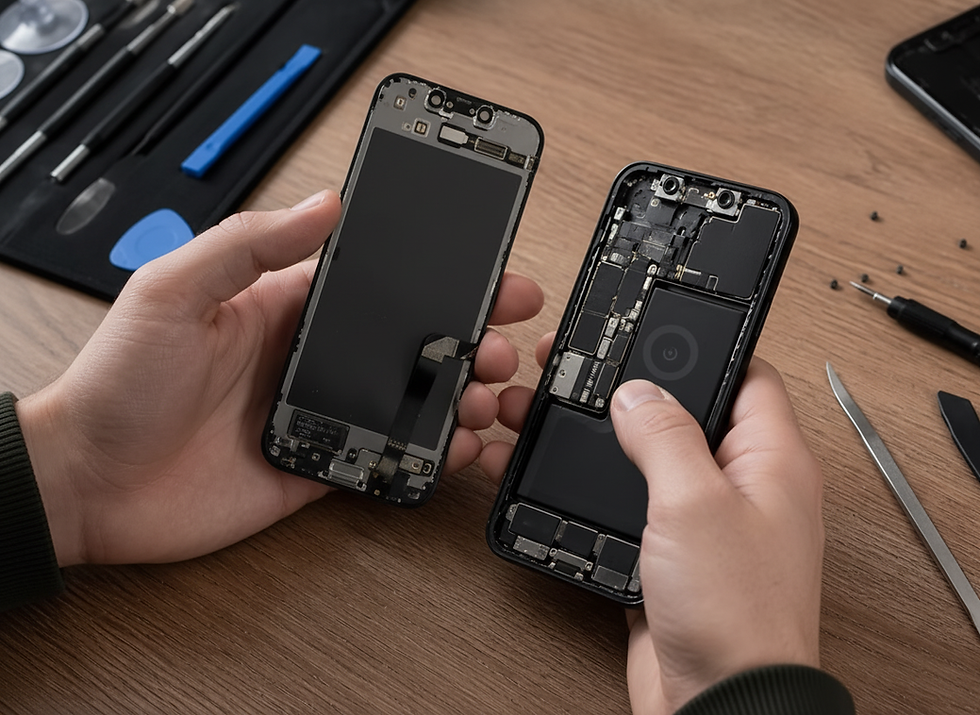
Mobile Repairs: professional assessment and repair decisions
Planning Mobile Repairs without household panic. Start by labelling each device with the owner’s name, model and main fault. Keep chargers with the correct device and note passcodes separately and securely. Back up anything that still works. A simple record prevents the wrong case, cable or service from being matched to the wrong phone when several devices are involved. Next, separate safety from inconvenience. A cracked but stable screen is inconvenient; a lifting screen caused by a swollen battery may be unsafe. A wet device should not be repeatedly charged. A phone that becomes abnormally hot should be switched off where possible. PROFIX can then assess the hardware rather than working through the confusion of mixed symptoms. How Mobile Repairs protect routines. Repair is not only about the component. Restoring a familiar device can preserve parental controls, school logins, accessibility settings, contact lists and cases already fitted for the user. That continuity can matter more than having the newest model. A clear diagnosis also makes it easier to plan downtime. Some repairs can be completed quickly; others need parts or detailed inspection. Knowing the likely route allows the family to arrange a spare device, print travel information or move two-factor authentication before handing the phone over.
Mobile Repairs problems customers commonly face
1. A child’s tablet has cracked glass. Check for loose shards, failed touch and screen lifting. Do not allow continued finger pressure over sharp areas. A separate digitiser may be repairable on some tablet models, while laminated screens require a different approach. Keep the device dry and confirm its exact model before booking. 2. A parent’s phone will not charge reliably. Try a known suitable cable and adapter, inspect the port without inserting metal objects and note whether charging changes with angle. Compacted lint, connector wear, liquid damage and battery faults can feel similar. Professional cleaning or charging-port repair should follow diagnosis rather than force. 3. The spare phone loses power too quickly. Battery age, background apps, weak signal and cold conditions can all reduce runtime. Record how quickly the percentage falls and whether the device shuts down unexpectedly. A health check can distinguish worn hardware from settings that can be improved without replacement. 4. A phone was splashed in the kitchen. Switch it off if safe, disconnect power and remove the case. Do not use rice, a hairdryer or repeated charging attempts. Liquid can travel beneath shields and begin corrosion even after the outside looks dry. Early assessment offers the best chance to limit secondary damage. 5. The family phone has a black screen but still rings. The device may be running with a failed display, loose connection or deeper fault. Avoid blind passcode attempts that could lock it. A technician can test the screen path and advise whether display repair, data access or further diagnostics are appropriate.
Why Mobile Repairs can be more economical
Mobile Repairs can stretch a household technology budget by extending the useful life of devices already owned. The family avoids buying several replacements in the same month and can direct spending towards the fault that genuinely needs attention. Cases, chargers and familiar settings can often remain in use. The sensible decision is different for every device. Repair may be excellent value for a recent phone with a cracked screen and healthy battery. An older low-value handset with screen, battery and board faults may be better replaced. PROFIX explains the combined condition so the customer can prioritise rather than automatically approving every possible repair. Each device is checked separately at intake. The model, owner, passcode requirements, symptoms and cosmetic condition are recorded. Tests cover the reported fault and related systems. For a screen issue, that means image, touch and frame; for charging, it can include cable, port, battery and current behaviour. After repair, the device is tested in a way that reflects its role. A school tablet needs dependable touch, Wi-Fi, camera and audio. A work phone needs calls, charging, biometrics and messaging. The family receives straightforward aftercare guidance and can mark the device as ready to return to its usual user.
Choosing repairs for different family devices
A household may include an iPhone 17 Pro Max, a school iPad Pro 11-inch M5, a Galaxy S25 Ultra, a Pixel 9 Pro XL or a foldable Galaxy Z Fold6. Each has a different screen structure and price range, so the wider mobile device repairs service is a useful starting point when several devices need attention.
For a cracked family phone, a screen assessment in Glasgow can confirm whether the problem is still cosmetic. Uncertain touch or image faults may need screen diagnostics in Glasgow before selecting a screen service in Glasgow. Families can compare screen solutions in Glasgow and use screen care in Glasgow advice to reduce future drops and pressure damage.
Power problems should be separated from screen faults. Battery replacement in Glasgow is appropriate when deterioration is confirmed, while weak battery support in Glasgow helps when the family is unsure whether the battery or usage pattern is responsible. Fast-draining battery checks in Glasgow and battery diagnostics in Glasgow provide evidence before a complete battery service in Glasgow is approved.
For an older family iPhone, an iPhone 11 diagnostic can decide whether the right route is iPhone 11 display repair or iPhone 11 back glass repair. A device that will not charge may need iPhone 11 charging port repair, while poor runtime may justify iPhone 11 battery replacement.
A kitchen splash requires iPhone 11 water damage treatment rather than rice or repeated charging. An iPhone 11 Pro diagnostic can similarly separate front-panel faults from rear damage covered by iPhone 11 Pro back glass repair. For a later handset, iPhone 12 front glass repair may preserve a healthy panel, while iPhone 12 OLED display repair is needed if the image layer has failed.
Mobile Repairs questions and answers
Question 1: Can PROFIX assess several family devices together? Answer: Yes, but each device needs its own model and fault record. Keeping accessories and symptoms clearly separated helps the assessment remain accurate. Question 2: Should we repair the newest device first? Answer: Not automatically. Priority depends on safety, urgency, data, daily dependence and repair value. A slightly older work phone may be more important than a newer spare. Question 3: Do Mobile Repairs affect parental controls? Answer: Hardware repair does not normally remove settings, but backups are recommended. If software resets are required, the implications should be discussed before work proceeds. Question 4: Can a family share one charger safely? Answer: Only when the charger and cable are suitable for each device and remain in good condition. Damaged or poorly specified accessories can create unreliable charging and heat. Question 5: How can we reduce future family screen damage? Answer: Use model-appropriate cases and protectors, create a fixed charging place, avoid devices on sofa edges and keep tablets in rigid compartments rather than loose school bags.
A practical final view on Mobile Repairs
The right repair should be based on the exact model, the condition of the device and test results rather than guesswork. PROFIX explains the available route before work begins, checks related functions after the repair and helps the owner compare the value of repair with replacement. That measured approach protects the device, the customer’s data and the money already invested in it.


Comments