
Mobile device repairs
Mobile phones and tablets are now essential tools for work, family life, payments, travel, study and daily communication. When a device stops working, the problem is rarely “just a phone issue”. It can affect access to emails, banking apps, photos, business messages, two-factor authentication and important documents. This is why professional Mobile device repairs should be handled carefully, with the right diagnosis, the correct parts and a repair process that protects the device as a whole.
A modern mobile device is not a simple object. Inside a slim frame, there are layered components: display assemblies, battery cells, charging ports, cameras, speakers, microphones, logic boards, antennas, biometric sensors and waterproofing seals. A cracked screen, weak battery or charging fault may look straightforward from the outside, but the real condition of the device often depends on what has happened inside.
Professional repair is not only about replacing a visible broken part. It is about understanding how the device behaves, what caused the fault, whether another component has been affected and whether the repair will remain reliable after the device leaves the workshop.
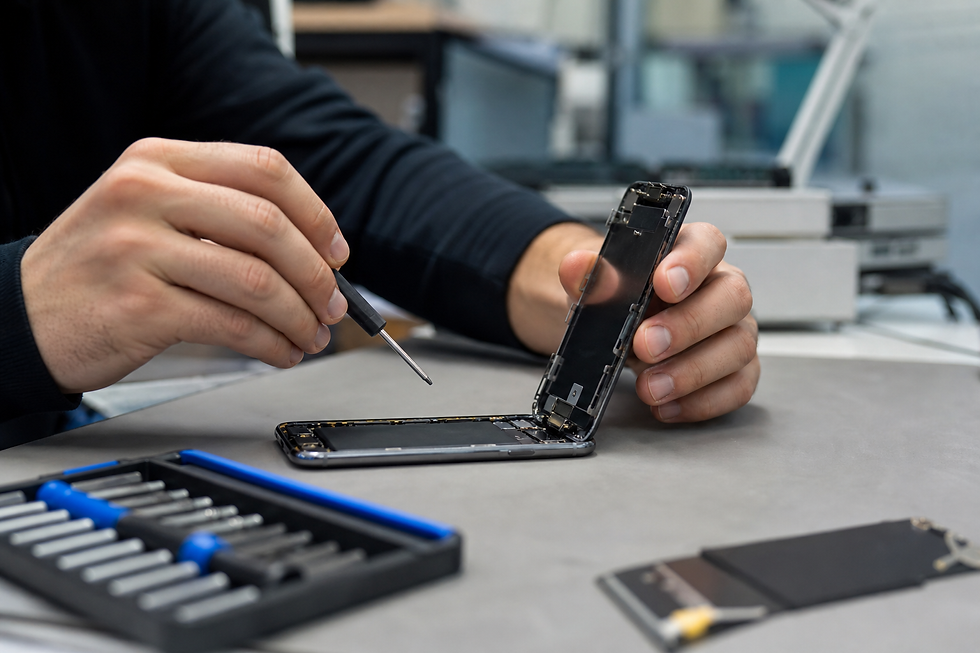
Why Mobile device repairs should start with proper diagnosis
A good repair should begin with diagnosis, not guesswork. Many mobile faults create similar symptoms. A phone that will not charge may have a damaged charging port, a weak battery, debris inside the connector, a faulty cable, liquid damage, a software issue or a board-level fault. A screen that looks unresponsive may have a damaged display, but it may also be affected by frame pressure, internal connector damage or impact around the logic board.
Diagnosis matters because replacing the wrong part wastes time and money. It can also leave the customer with the same problem after the repair. A professional technician checks the visible condition, tests device functions and looks for clues such as previous repairs, impact marks, swelling, liquid indicators, overheating signs or intermittent behaviour.
This approach is especially important for premium devices such as iPhones, Samsung Galaxy phones and Google Pixel models. These devices are compact, complex and built with tightly integrated components. A small error during repair can affect Face ID, touch performance, camera alignment, battery health, charging performance or wireless signal quality.
For iPhone users, PROFIX provides dedicated iPhone repair services. For Samsung Galaxy users, there is a separate Samsung mobile repair service. For customers using Google devices, PROFIX also supports Pixel mobile repairs.
Common reasons people need phone and tablet repairs
The most common repair requests usually come from accidents, wear and component ageing. Screens crack after drops. Batteries lose capacity after hundreds of charge cycles. Charging ports wear out through daily use. Speakers collect dust. Cameras can be damaged by impact. Water exposure can create corrosion, even when the device appears to work at first.
A cracked screen is one of the most common problems. Some customers continue using the device because the image is still visible. This can be risky. Broken glass may worsen, allow dust or moisture inside, cut fingers or put pressure on the display underneath. If the touch layer is affected, the phone may begin to type by itself, freeze or become unusable.
Battery issues are also common. A battery that drains quickly, shuts down unexpectedly or becomes warm during normal use may need attention. In some cases, a swollen battery can push against the screen or back cover. This should not be ignored, because pressure from a swollen cell can damage other internal parts.
Charging problems are another frequent issue. Many people assume the charging port is broken, but the real cause may be compacted dust, a damaged cable, a poor-quality charger, battery wear or internal board damage. Testing is important before deciding what needs replacing.
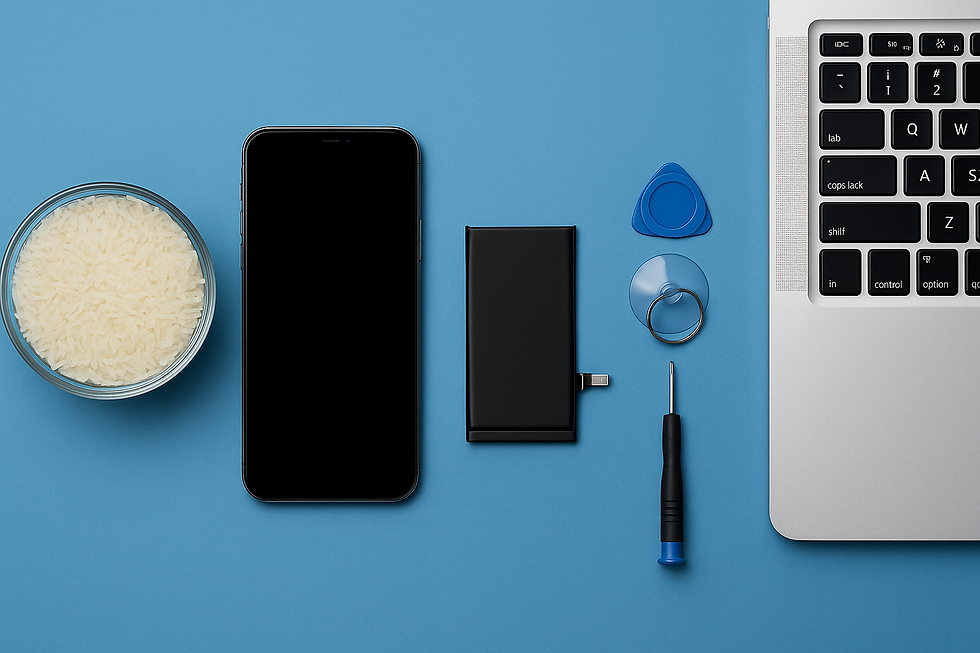
Liquid damage requires special care. A phone that has fallen into water may still turn on, but that does not mean it is safe. Moisture can sit inside the device and slowly corrode connectors, chips and circuits. Rice does not repair water damage. The device should be powered off and inspected properly.
Screen repairs and display quality
Screen repair is not only about making the glass look new. It affects how the phone feels, responds and displays colour. A poor-quality screen can cause dull colours, weak brightness, touch delay, poor viewing angles or reduced durability. On premium phones, the difference between screen types can be significant.
For OLED devices, the screen is one of the most expensive and important parts of the phone. Original-quality displays usually provide better colour accuracy, deeper blacks and smoother touch performance. Cheaper alternatives may work, but they can change the user experience. This is why customers should understand the difference between repair options before choosing a screen replacement.
On some devices, glass-only repair may be possible when the OLED panel underneath is still working correctly. This can help preserve the original display while replacing the damaged front glass. However, this type of repair depends on the condition of the panel and the level of damage.
A professional repair service should also check the frame. If the frame is bent after a drop, installing a new screen without correcting the pressure points can increase the risk of future cracking or screen lift. The screen must sit correctly, connect properly and be tested after fitting.
Battery replacement and device performance
Battery health has a direct effect on how a mobile device performs. When a battery becomes weak, the phone may drain quickly, switch off during normal use or struggle under heavier tasks such as navigation, video calls or gaming. In some cases, the phone may feel slow because it is trying to manage power more carefully.
Battery replacement can make an older device more practical again. Many customers replace their phone too early because they think the whole device is failing, when the main problem is battery ageing. A correct battery replacement can improve daily use and extend the life of the device.
However, battery work must be handled carefully. Mobile batteries are lithium-ion cells and should not be bent, punctured or exposed to poor handling. A safe repair uses the correct tools, controlled removal methods and suitable replacement parts. The device should also be tested after the battery is fitted.
A battery repair should include more than simply installing a new cell. The technician should check charging behaviour, power stability, temperature behaviour and whether the device recognises the new battery correctly. If a battery drains quickly even after replacement, there may be another fault, such as a board-level power issue or a software problem.
Charging port, speaker and microphone faults
Charging ports are used every day, often several times a day. Over time, lint, dust and debris can build up inside the port. This can stop the cable from sitting correctly. The phone may charge only at an angle, disconnect repeatedly or fail to charge at all.
Not every charging fault means the port needs replacing. Sometimes careful cleaning solves the issue. However, if the connector pins are damaged, loose or corroded, a repair may be needed. A professional technician can test the port, battery and charging circuit before making a decision.
Speaker and microphone problems are also common. A caller may sound quiet, the customer’s voice may cut out during calls, voice notes may record poorly or the loudspeaker may distort. These symptoms can come from blocked mesh, dust, liquid exposure, damaged flex cables or failed components.
Because smartphones use several microphones for calls, video recording and noise cancellation, the exact symptom matters. A phone may record video audio but fail during calls, or work on speaker mode but not during normal calls. Proper testing helps identify which part is affected.
Camera, back glass and frame damage
Mobile cameras are now used for work records, social media, product photos, family memories, ID checks and online forms. Camera damage can be frustrating because even a small crack over the lens can reduce image quality. Dust, haze, focus problems or shaking can also affect camera performance.
Back glass damage is also common, especially on premium models. A cracked rear cover may look cosmetic, but it can allow dust and moisture to enter the device. It can also make the phone uncomfortable to hold. If the phone supports wireless charging, rear damage may affect charging performance depending on the location and severity of the break.
Frame damage should not be ignored. A bent frame can put pressure on the screen, battery or internal components. If a phone has been dropped hard enough to bend the frame, the internal condition should be checked before repair.
Mobile device repairs for iPhone, Samsung and Pixel users
Different brands require different repair knowledge. iPhones, Samsung Galaxy phones and Google Pixel devices have their own internal layouts, part types and repair considerations.
iPhone repairs may involve screen replacement, battery replacement, charging faults, camera issues, rear glass damage, speaker problems or software-related symptoms. Some iPhone features are linked closely with specific sensors and components, so careful handling is essential.
Samsung Galaxy repairs often involve AMOLED screens, curved displays, back glass, charging ports, batteries and camera systems. Many Samsung models have different versions by region or model number, which is why correct identification matters before ordering parts.
Google Pixel repairs can involve screen damage, battery faults, charging issues, camera problems and software-linked behaviour. Pixel devices are known for their camera systems and clean Android experience, so repair quality should protect both hardware and usability.
Customers can view PROFIX services through the main website: https://www.profixrepair.co.uk/
For direct repair categories, use:
Mobile device repairs after impact, water or power failure
Impact damage can be more complicated than it first appears. A phone may land on one corner, crack the screen and still turn on. However, the same impact may also damage the frame, loosen internal connectors or affect cameras and sensors. This is why testing after a drop is important, even when the main problem looks obvious.
Water damage is different because it may develop over time. A phone exposed to water, steam, rain or spilled drinks may continue working for hours or days before faults appear. Corrosion can spread inside the device and affect charging, touch, audio, display or power circuits. The safest action is to turn the device off and arrange inspection.
Power failure can come from several sources. A device that will not turn on may have a flat battery, a failed battery, a damaged charging port, a display fault or a deeper board-level issue. A black screen does not always mean the phone is dead. It may still be receiving calls or notifications, which can indicate display failure rather than full power failure.
Why model identification is important before repair
Many phones look similar across different generations. This is especially true for iPhones and Samsung Galaxy models. Two devices may have almost the same size and design but use different screens, batteries or internal parts. Ordering or fitting the wrong part can cause delays or compatibility problems.
Model identification is also important for pricing. A screen for one model may cost much more than another. Battery design, connector layout and part availability can vary. Before repair, the customer should confirm the exact model where possible.
On iPhones, the model can usually be checked in Settings, on the device body for some older models, or through the model number. On Samsung Galaxy phones, the model number is normally visible in Settings under About phone. On Google Pixel phones, model details can also be found in the settings menu.
A professional repair shop can help identify the device if the customer is unsure. This reduces the risk of wrong parts and helps the repair process move more smoothly.
Data, privacy and customer preparation
Customers often worry about photos, messages and personal information. In many repairs, data is not intentionally accessed or removed. However, customers should still back up important data before any repair where possible. Phones can fail unexpectedly, especially after impact or liquid damage.
Before sending or bringing a device for repair, customers should remove passcodes only if instructed and only where necessary for testing. In some cases, technicians need limited access to test cameras, speakers, microphones, Wi-Fi, charging and touch response. If privacy is a concern, customers should ask what testing is required.
A backup is always wise. iPhone users can use iCloud or a computer backup. Android users can use Google backup or other trusted storage options. Customers should also record their model number, describe the fault clearly and mention any previous repair history.
Good information helps the technician. For example, “the phone does not charge” is useful, but “the phone charges only when the cable is pushed upwards” is better. “The screen is broken” is useful, but “the screen is black, but the phone still rings” gives more diagnostic detail.
Repair quality and long-term value
The cheapest repair is not always the best value. Low-quality parts can affect brightness, touch response, battery life or durability. Poor workmanship can create new problems, such as loose screens, damaged seals, missing screws, weak adhesive or internal pressure points.
A good repair should aim to restore reliable function, not only appearance. The technician should test the device before and after repair. Important checks may include charging, touch response, display brightness, cameras, speakers, microphones, Wi-Fi, mobile signal, buttons and biometric features where relevant.
Repair also has an environmental benefit. Extending the life of a working device can reduce electronic waste and delay unnecessary replacement. Many phones still have strong processors, good cameras and useful software support. If the main problem is a screen, battery or charging port, repair can be a practical alternative to buying a new device.
When repair may not be the best option
There are cases where repair may not be economical. If a device has severe liquid damage, board damage, multiple failed parts and low resale value, repair costs may approach the price of replacement. In those cases, a technician should explain the situation clearly.
However, the decision should be based on diagnosis, not assumption. Some phones that look badly damaged are repairable. Others that look clean may have serious internal damage. Professional assessment helps customers decide whether to repair, recover data or replace the device.
For many customers, the value of repair is not only the device itself. It may include photos, work files, authentication apps, business contacts or messages. Even when full repair is not practical, data recovery or temporary restoration may still be important.
Choosing a professional mobile repair service
A professional repair service should be clear, practical and honest. Customers should know what repair is being carried out, what part is being used, what the expected result is and whether there are risks. This is especially important for liquid damage, previous repair damage or devices with multiple faults.
The best repair process is transparent. It should include diagnosis, clear communication, careful handling, suitable parts and testing after repair. Customers should also be able to ask questions before booking.
PROFIX supports customers with mobile phone, tablet and device repair services through its main website: https://www.profixrepair.co.uk/
Whether the issue is a cracked screen, weak battery, charging fault, water damage, camera issue or model-specific repair, the safest next step is professional assessment.
FAQ: mobile phone and tablet repair questions
1. Is it worth repairing a mobile phone instead of replacing it?
In many cases, yes. Repair can be a sensible option when the device is still fast, supported, in good general condition and only has one or two faults such as a cracked screen, weak battery or charging issue. Many modern phones remain useful for several years, especially premium iPhone, Samsung Galaxy and Google Pixel models. If the main problem is a damaged part, repair may cost much less than buying a new phone.
However, the decision depends on the condition of the device, the cost of parts, the age of the model and whether there is hidden damage. If the phone has severe liquid damage, board-level failure or several major faults at the same time, replacement may be more practical. A professional diagnosis can help you decide. Repair is usually most worthwhile when it restores reliable daily use and protects the value of the device.
2. Can a cracked phone screen get worse if I keep using it?
Yes, a cracked screen can get worse over time. Even a small crack can spread when the phone is placed in a pocket, pressed inside a bag or exposed to temperature changes. Broken glass can also allow dust or moisture to enter the device. If the display layer underneath is affected, the phone may develop touch problems, black marks, coloured lines or complete display failure.
Using a cracked screen can also be uncomfortable and unsafe because small glass fragments may come loose. If the touch function starts acting strangely, the phone may open apps, type by itself or become difficult to control. For this reason, screen damage should be repaired before it becomes a larger problem. A professional technician can check whether only the glass is damaged or whether the full display assembly needs replacement.
3. What should I do if my phone gets wet?
The safest first step is to turn the phone off immediately. Do not charge it, do not use heat and do not put it in rice. Rice does not remove moisture from inside the device and does not stop corrosion on internal components. Charging a wet phone can make the damage worse because electricity and moisture can create short circuits.
After switching the device off, remove the case and SIM tray if safe to do so. Keep the phone upright and arrange professional inspection as soon as possible. Even if the phone appears to work, liquid can remain inside and cause faults later. A technician can inspect the device, check for corrosion and advise whether cleaning, repair or data recovery is possible. Fast action gives the best chance of reducing damage.
4. Why does my phone charge only at a certain angle?
This usually means there is a connection problem between the cable and the charging port. The most common causes include compacted lint or dust inside the port, a worn charging cable, damaged connector pins or a loose charging port. Sometimes the problem is not the port itself but the battery, charging circuit or previous liquid damage.
You should first try a known good cable and charger. If the problem continues, avoid forcing the cable because this can damage the port further. A repair technician can inspect and clean the port safely. If cleaning does not solve the issue, the port or related component may need replacement. Proper diagnosis is important because replacing the charging port will not solve the problem if the real fault is battery or board related.
5. Do I need to back up my phone before repair?
Yes, it is strongly recommended to back up your phone before repair whenever possible. Most standard repairs, such as screen or battery replacement, should not delete data. However, any damaged device can fail unexpectedly, especially after impact, water exposure or power faults. A backup protects your photos, contacts, messages, app data and important documents.
For iPhones, you can use iCloud or a computer backup. For Android phones, you can use Google backup or another trusted backup method. If your screen is broken but the device still works, try to back up before the repair appointment. If the device cannot be used, tell the repair technician that your data is important. In some cases, repair may focus first on restoring temporary access so data can be recovered.
Contact PROFIX
Need help with a phone, tablet or mobile device fault? Visit PROFIX or contact us to ask about repair options.


Comments